
SCIM Provisioning
SCIM lets your identity provider push user and group changes into Markup AI before anyone signs in. That means you can pre-assign style-guide visibility and roles to a group, and they apply the moment that group’s members first log in. SCIM is optional and sits on top of an existing SSO connection.
Single sign-on and SCIM provisioning are available on the Enterprise plan. SCIM sits on an enterprise SSO connection (SAML or OIDC) — it isn’t available for social login or email-and-password organizations.
Enable SCIM
Open the connection's SCIM tab
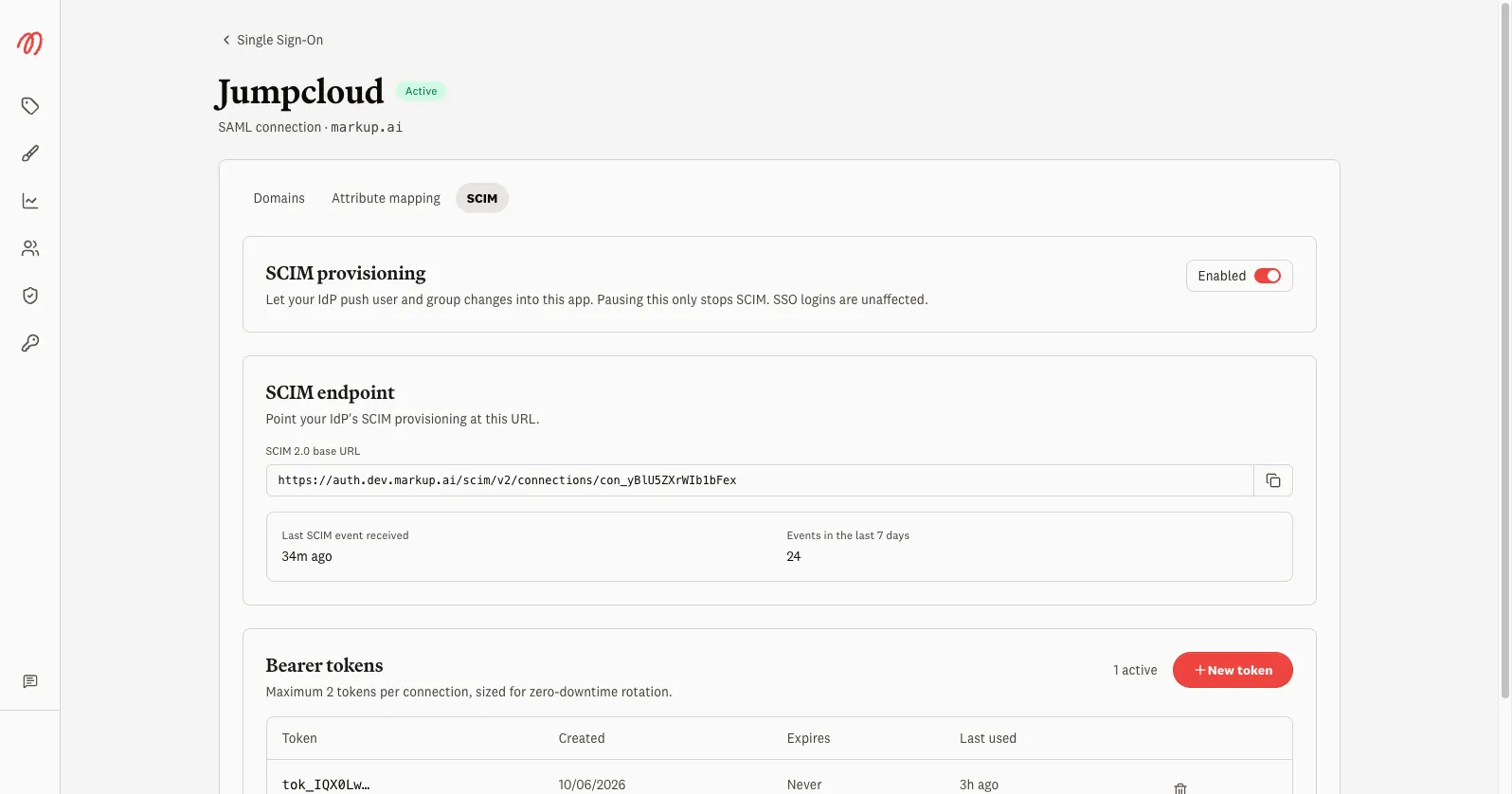
In the console, go to Single Sign-On, open your connection, and select the SCIM tab.
Turn provisioning on
Toggle Enabled. Pausing this later only stops SCIM — SSO logins are unaffected.
Copy the endpoint and create a token
Copy the SCIM 2.0 base URL and select New token to mint a bearer token. Point your IdP’s SCIM provisioning at that URL using the token.
You can hold up to two active tokens per connection — enough to rotate a token with zero downtime. Treat a token like a password; it’s shown once when created.
What syncs
- Users — created, updated, and deactivated as your IdP pushes changes.
- Groups and memberships — provisioned ahead of login, so visibility and roles can be assigned before first sign-in.
Provisioning is eventually consistent: changes arrive continuously, and a periodic reconcile catches anything missed, so brief drift between your IdP and Markup AI is normal.
Monitor activity
The SCIM tab shows Last SCIM event received and events in the last 7 days, so you can confirm your IdP is actually pushing changes. If the last event is old or the count is zero, check the provisioning configuration and token in your IdP.