
Attribute Mapping
Single sign-on and attribute mapping are available on the Enterprise plan. On other plans, members sign in with a social login or an email and password — see Set Up SSO.
Every IdP describes group membership differently — a different claim name, a different value format, sometimes a noisy list of directory groups. Markup AI adapts to yours. On each connection’s Attribute mapping tab you tell Markup AI which claims to read and how to interpret them; you don’t have to change anything in your IdP.
Open it from Single Sign-On, then select a connection and the Attribute mapping tab.
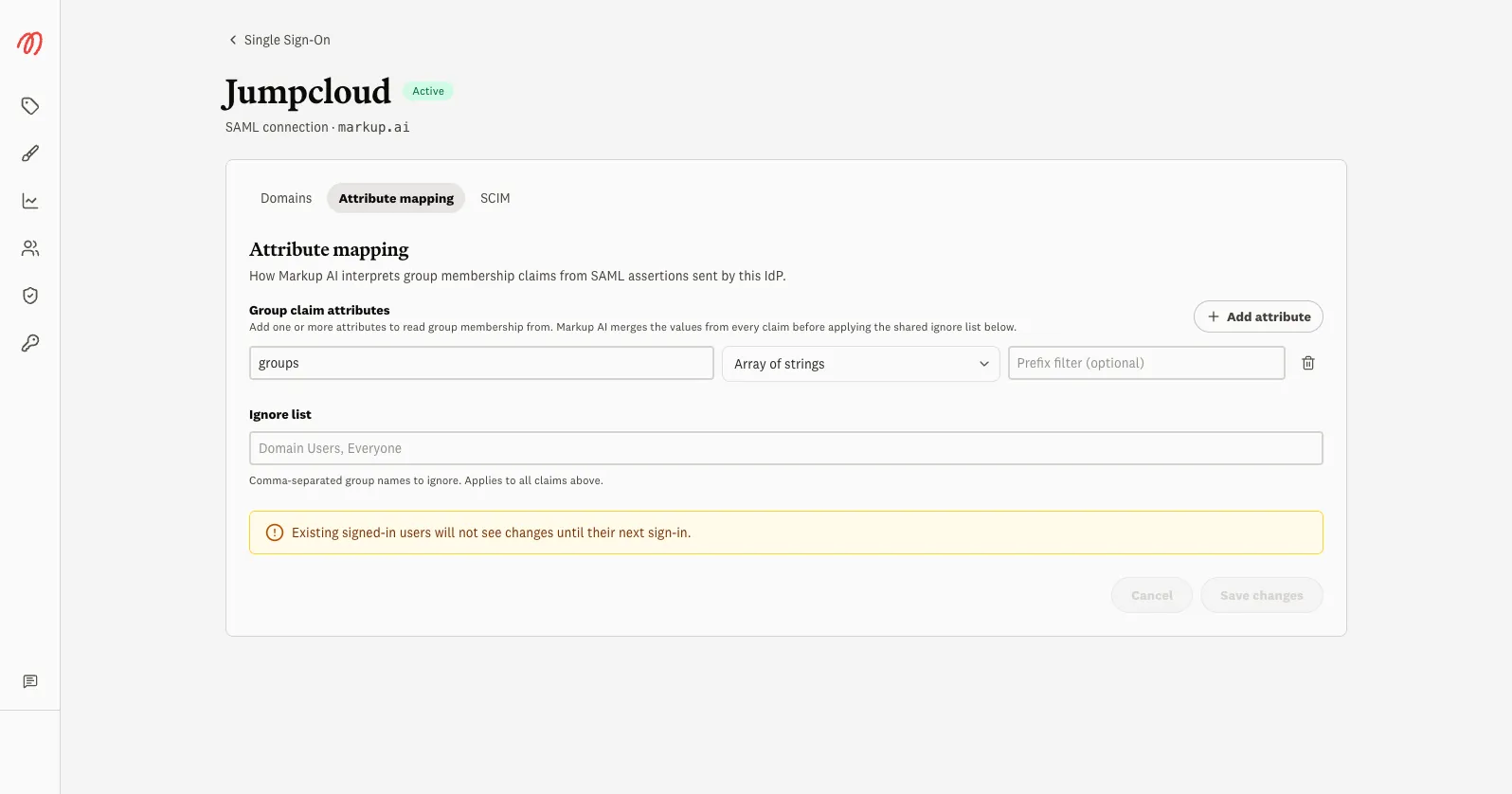
Group claim attributes
Add one or more attributes that carry group membership. Common names are groups, memberOf, or a department attribute like Dept. Markup AI merges the values from every attribute you list before applying the ignore list, so you can read membership from more than one claim.
For each attribute you set:
Ignore list
A shared, comma-separated list of group names to drop after parsing — handy for catch-all directory groups like Domain Users or Everyone. It applies to every attribute above.
Changes take effect at each user’s next sign-in. People who are already signed in keep their current groups until they sign in again.
One group, several identity providers
A single Markup AI group can be fed by more than one connection. “Engineering” can be backed by an Okta SAML claim at the parent company and an OIDC claim at an acquired subsidiary — each connection emits its own string, but both map to the same group. Permissions and style-guide visibility attached to that group then apply uniformly, no matter which connection a member signs in through. You wire these per-IdP strings up on the group itself — see Groups.
How a claim becomes a group
- A user signs in (or is provisioned via SCIM).
- Markup AI reads the mapped attributes from the assertion and merges their values.
- Each value is parsed using its claim format, optionally filtered and de-prefixed.
- Anything on the ignore list is dropped.
- The remaining names are matched to your Markup AI groups, and the user’s membership is updated.